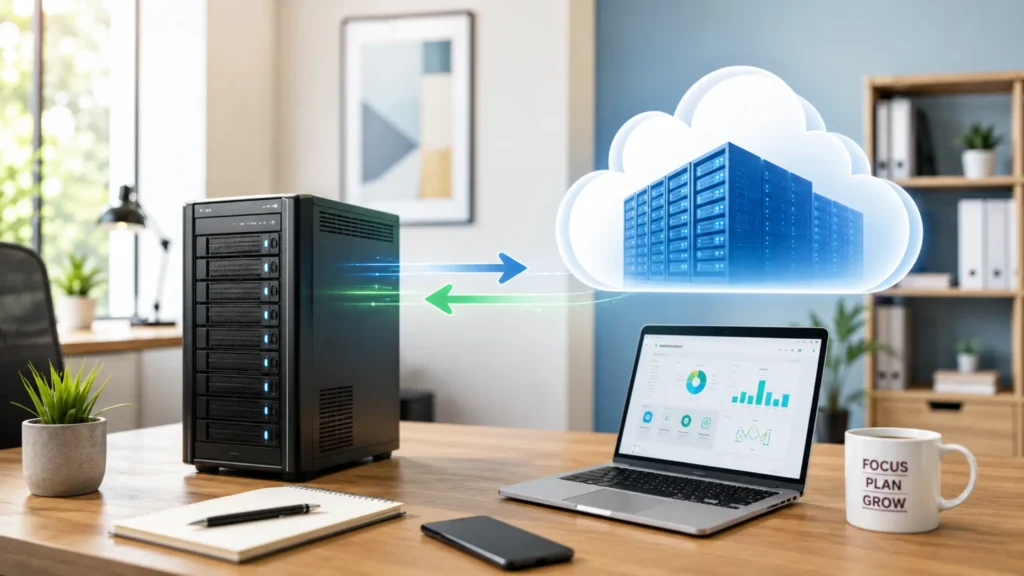
At some point every small business has to decide where its data lives. You either buy a server and keep everything in your office. Or you move it to the cloud and access it over the internet.
Both work, but the right choice depends on your budget, your security needs, and how your team actually works.
What Each Option Actually Means
The terms get thrown around a lot. But the difference is simple.
An on-premise server is a physical machine in your office. It stores your files, runs your software, and manages your network locally. You own it. You control it. And you are responsible for keeping it running.
A cloud server is a virtual machine hosted by a provider like Microsoft Azure or Amazon Web Services. Your data lives in their data center.
Your team accesses it over the internet. You pay monthly based on what you use. The provider handles the physical hardware and uptime.
When an On-Premise Server Makes Sense
On-premise is not outdated. For certain businesses it is still the better choice. We manage both types across the offices we support in Greater New Orleans, and the decision always comes down to the specific workflow.
You Run Software That Needs Local Hosting
Some business software only runs on a local server. Older versions of Sage 100, QuickBooks Desktop, and many industry-specific tools are built that way. Moving them to the cloud either is not supported or creates performance problems. If your business depends on software like this, a local server may be your only option.
You Work With Large Files Daily
Architecture firms, engineering offices, and media companies pull large files constantly. Downloading a 500MB file from the cloud over a standard internet connection is slow. A local server connected through proper cabling delivers much faster access.
We have set up local servers for exactly this reason in offices where cloud file access was killing productivity.
You Want Full Control of Your Data
Some businesses want to know exactly where their data sits at all times. With a local server, nothing leaves your building unless you choose to send it. For businesses with strict data handling rules, that physical control makes compliance simpler.
You Already Own a Good Server
If you bought a server recently and it still performs well, replacing it with cloud right now may waste money. We often recommend keeping a healthy server running while moving specific things to the cloud over time. A gradual shift usually makes more sense than a full rip and replace.
Your Internet Is Not Reliable
The cloud needs the internet. If your connection drops often or speeds are inconsistent, going cloud-only means your team loses access to everything when the internet goes down.
We have seen this happen in offices across the Northshore where ISP reliability varies block to block. A local server keeps your team working even when the internet does not.
When Cloud Is the Better Choice
For many small businesses, cloud removes the headaches of owning and maintaining physical hardware. You trade upfront costs for a monthly fee and gain flexibility that a physical server cannot match.
You Want Predictable Monthly Costs
A physical server costs $3,000 to $10,000 upfront. Then add maintenance, power, and cooling. Cloud turns that into a flat monthly payment that scales with your usage. For businesses watching cash flow, this is often easier to plan around.
Your Team Works From Multiple Locations
If your employees work remotely, travel, or split time between two offices, cloud gives everyone the same access from anywhere. No VPN setup. No remote desktop. Just a login from any device.
You Do Not Want to Deal With Hardware
Servers need updates, monitoring, and eventual replacement. When one fails at 2am, someone has to fix it. With cloud, the provider handles the physical side. You never deal with a crashed drive or a failed power supply.
You Need Built-In Redundancy
Cloud providers copy your data across multiple data centers automatically. If one goes down, your services switch to another without you noticing. Getting that kind of redundancy with physical hardware would cost more than most small businesses can afford.
You Need Disaster Recovery That Works
Louisiana businesses deal with hurricanes, flooding, and power outages. A server sitting in a flood-prone office is a single point of failure.
The cloud keeps your data in a data center far from the storm. Your team can get back to work from anywhere once they have the internet.
The Hybrid Approach: Using Both
Most businesses we work with do not go all cloud or all on-premise. They mix both based on what makes sense for each part of their operation.
Keep Local What Needs to Stay Local
Software that requires local hosting, large file workflows, and network services like Active Directory often stay on a physical server. These things perform better locally and do not gain much from being in the cloud.
Move to Cloud What Benefits From It
Email, file sharing, collaboration, and backups are natural cloud workloads. Microsoft 365 handles email and documents. Cloud backup protects your data offsite. These services are more reliable in the cloud than on a local server.
Let One Provider Manage Both
A hybrid setup only works when someone manages both sides properly. Your local server still needs monitoring and patching.
Your cloud environment needs proper security. Having one provider covering everything prevents gaps between the two.
Side-by-Side Comparison
| Factor | On-Premise Server | Cloud Server |
| Upfront Cost | $3,000 to $10,000+ | Little to none |
| Monthly Cost | Power, cooling, maintenance | Predictable subscription |
| File Access Speed | LAN speed, very fast | Depends on internet |
| Remote Access | Requires VPN setup | Built-in from any device |
| Disaster Recovery | At risk if server is in the office | Data copied across data centers |
| Hardware Maintenance | Your responsibility | Provider handles it |
| Data Control | Full physical control | Stored in provider’s data center |
| Scalability | Buy new hardware | Scale instantly |
| Internet Dependency | Works without internet | Requires reliable internet |
| Best For | Large files, legacy software | Remote teams, predictable costs |
Quick Decision Guide
Not sure which way to go? Start here.
- Do you run software that only works on a local server?
- Does your team work from more than one location?
- Is your internet reliable enough for daily cloud access?
- Would you rather buy hardware upfront or pay monthly?
- How important is disaster recovery given Louisiana weather?
- Do you want to manage hardware or eliminate it?
Conclusion
There is no single right answer. Your decision depends on how your team works, what software you run, and how much risk you are willing to keep in your office. Talk to the Network Tactics team about finding the right balance of cloud and on-premise for your business.